Recent work
View full portfolio →
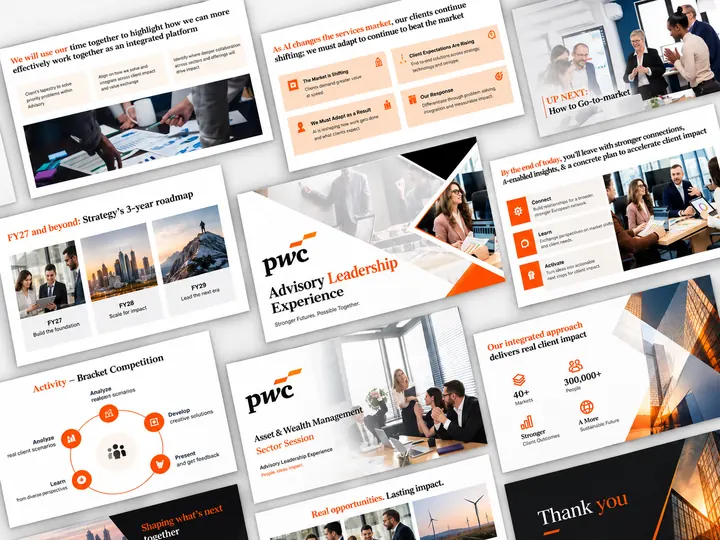
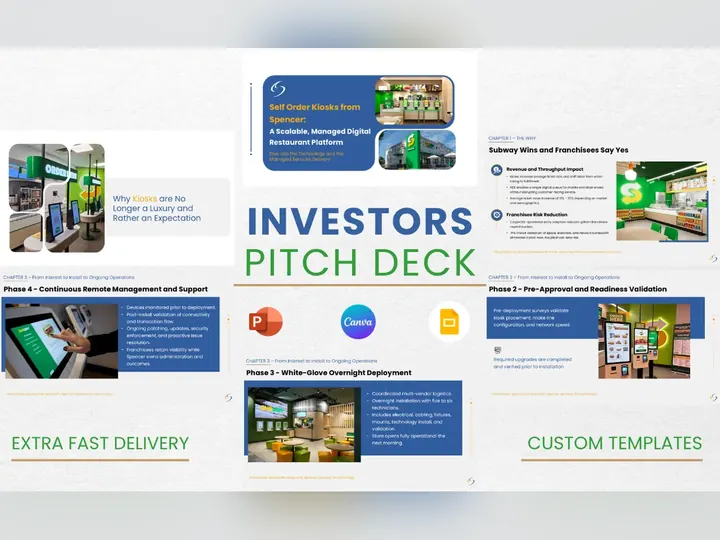
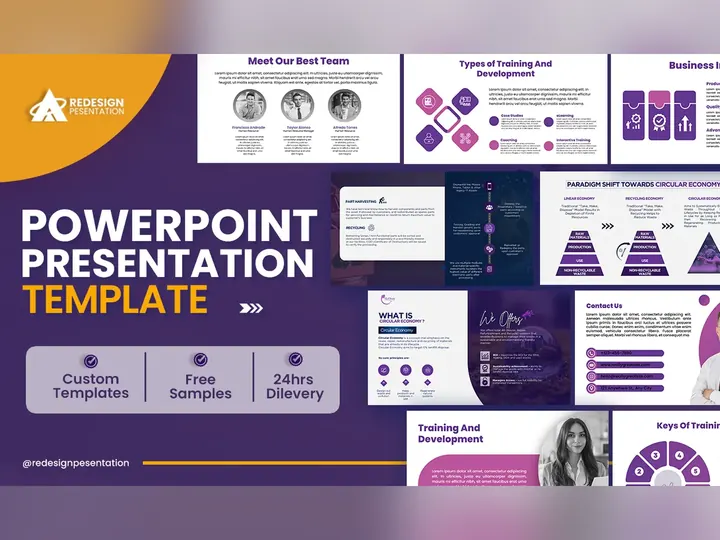
Native .pptx decks with real master slides, working animation, and files that behave on every machine. 25,000+ slides designed across 1,000+ projects.
From $150 · native .pptx · master slides included · 24–72 hour delivery available
PowerPoint has a reputation problem it mostly doesn't deserve. The software isn't why most decks are bad — the way they're built is. Slides copied from last quarter, text boxes nudged into rough alignment, a template nobody understands, and no master slides, so every fix has to be made forty times by hand.
We build PowerPoint the way it was designed to be used: proper slide masters and layouts, a defined type scale, theme colours that actually map to your brand, aligned objects on a real grid, and charts linked to editable data rather than pasted screenshots. The result looks better — but more importantly, it stays consistent as your team edits it for years.
It also means the file works away from home. Packaged fonts, embedded assets, and tested rendering, so the deck you send is the deck your client opens on a machine that has never heard of your brand typeface.
Change the accent colour or the logo once and it updates across the deck. Teams stop rebuilding and start editing.
Morph transitions and build sequences used to reveal logic step by step — never motion for its own sake.
Native PowerPoint charts with live data, so next quarter's numbers take a minute rather than a redesign.
Packaged fonts, correct aspect ratio, sensible file size — decks that open correctly on the laptop in the meeting room.
Same sample-first process as every engagement: approve the direction on one slide before the full build.
Your material, brand assets, and the presentation setting — boardroom, conference stage, or emailed document.
One representative slide designed to your brand, so direction is agreed before production.
Master slides, layouts, and every slide produced inside a single consistent system.
Editable .pptx with packaged fonts, plus PDF, plus guidance on editing the masters yourself.
PowerPoint remains the strongest choice when the deck must be presented offline, animated with precision, or handed to an organisation with brand standards and existing templates. Its master-slide system and morph transition still have no exact equivalent elsewhere.
Google Slides wins on real-time collaboration and link-sharing, which matters for teams editing together weekly. Canva is fast for marketing-style visuals but tends to struggle with dense data slides, strict brand systems, and clean export into corporate environments.
We work in all three and will recommend against PowerPoint when it isn't the right fit — a deck built in the wrong tool creates friction every time someone opens it.
Three choices carry most of the quality: type scale, contrast, and alignment. A defined scale (say 44/28/18) removes the guesswork that makes slides feel improvised. Contrast — of size, weight, and colour — determines what the eye reaches first, which is the entire mechanism by which a slide communicates. Alignment to a grid is invisible when right and unmistakable when wrong.
Everything else, including colour palettes and iconography, is downstream. Which is why our redesigns often change no content at all and still transform how a deck is received.
“Muhammad is an exceptional talent. Easily in the top 2% of anyone we have worked with.”✓ Verified 5-star review
Scope-based, quoted before work begins.
Animation, morph sequences, and rush delivery quoted on request.
Yes — editable .pptx with proper slide masters, theme colours, and packaged fonts. Never a flattened PDF or an image-only deck.
Yes. We can build inside your template, or repair it — many corporate templates have broken masters and inconsistent layouts that quietly cause every downstream formatting problem.
Yes, including morph transitions and staged builds. We use motion to reveal logic in sequence, not for decoration; decks that will be emailed rather than presented usually get less animation, deliberately.
Yes — that is almost always a font, linked-object, or aspect-ratio problem. We rebuild with packaged fonts and embedded assets so the file renders consistently elsewhere.
We have delivered decks well beyond 50 slides, including a 55-slide corporate training programme. Large decks take longer but benefit most from a proper master-slide system.
Yes, in both directions, with the formatting cleaned up afterwards — automated conversion alone usually introduces spacing and font problems.
Tell us what you're presenting and to whom. Fixed quote within hours.